
H3 by Kino
Video · MiniMax H3
LOCAL INTEGRATION Explore plans
 Creative AI. On your Mac.
Spent hours wrestling with installs, commands and clunky interfaces just to generate a local video? Meet Kino. A visual studio that turns ideas into images and video sequences on your Mac.

A STUDIO BUILT FOR YOUR IMAGINATION
Striking images, distinctive characters and ideas ready for their next scene. All organized in your Kino gallery.
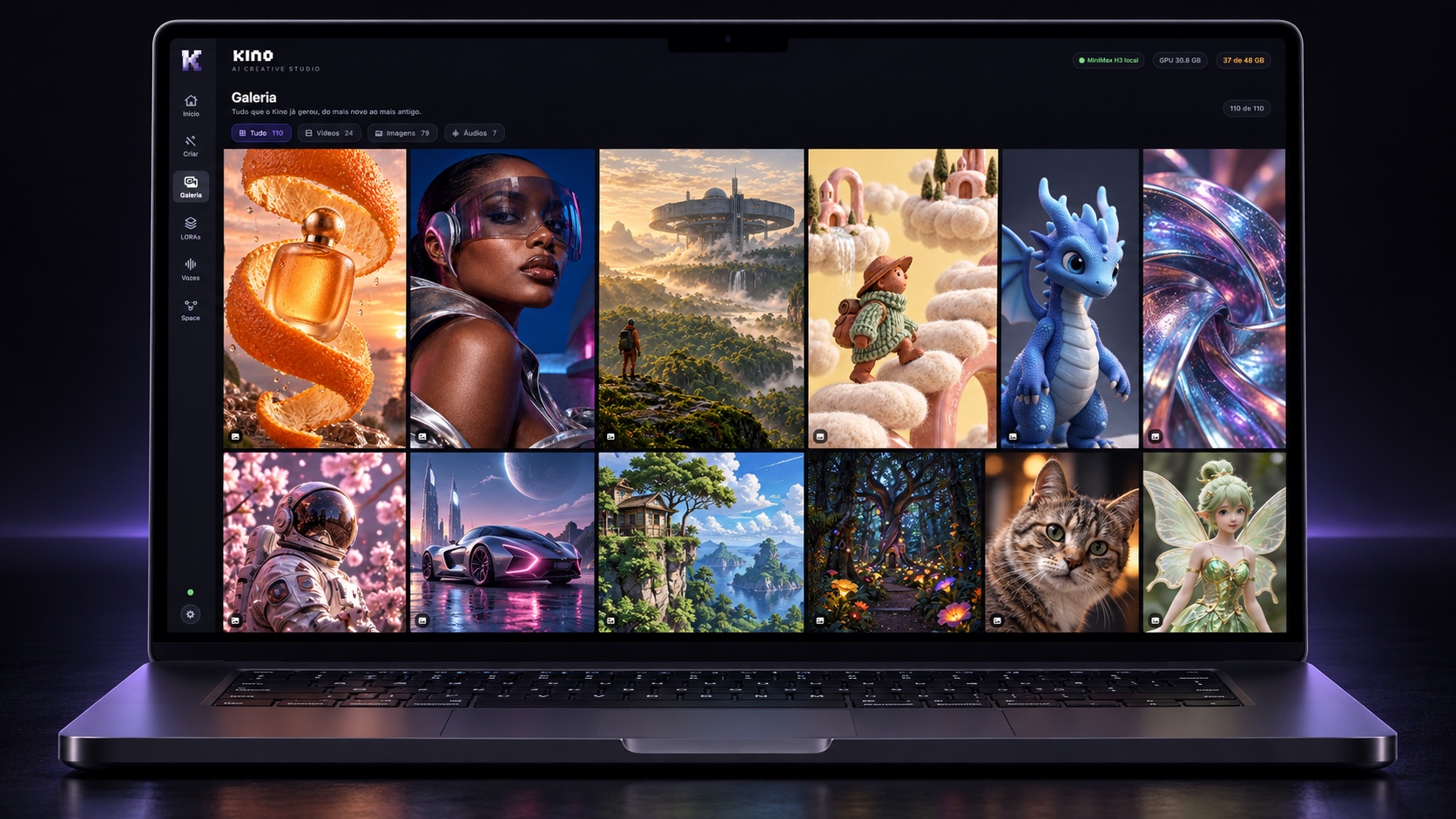
Illustrative app mockup featuring a selection of concept artwork.
YOU DIRECT. AI POWERS THE JOURNEY.
You choose the creative destination. Kino brings the controls together and connects the engines for images, video and voices.
Video · MiniMax H3
LOCAL INTEGRATIONImage generation
LOCAL INTEGRATIONImages · automatic 2× finishing
LOCAL INTEGRATIONNarration and voices
LOCAL INTEGRATIONCreative director · 32B
LOCAL INTEGRATIONVisual references · up to 9 images
INTEGRATED · VISUAL VALIDATION PENDINGImage upscaling · 2×
LOCAL INTEGRATIONFuture API integration
UNDER CONSIDERATION · UNAVAILABLEFuture API integration
UNDER CONSIDERATION · UNAVAILABLEOne Kino experience. Different AI engines.Scroll to explore →
Models have separate downloads, requirements and licenses. Grey engines represent possible future APIs with no committed release date; external fees may apply.See what you could imagine ↓NEW IN YOUR STUDIO
Kino Image combines H3 generation with mandatory SeedVR2 2× finishing. In chat, linked assets guide scene images through Ref2VA; each video starts from its own base image.
Every image goes through SeedVR2 2× upscaling.
KINO IMAGE + SEEDVR2Up to 9 linked images guide characters, environments and objects.
REF2VA · EXPERIMENTALFull Ref2VA: 144.05 GB. With a complete FL2VA installation, 77.77 GB can be shared and 66.28 GB are additional. Automatic installation with file reuse is still pending.
FL2VA → REF2VAThe integration is available; visual consistency across scenes is still being validated. Models have their own licenses.
A GALLERY OF POSSIBILITIES
Campaigns that stand out. Characters with presence. Worlds that do not exist yet. Explore a new direction for your next idea.
A curated collection of AI concept artwork for inspiration. These images are not benchmarks or examples generated by H3 by Kino.
LESS SETUP. MORE DIRECTION.
Do not let your idea get lost between windows, files and retries. Bring images, characters and scenes together, and focus on the creative decisions.
01 — YOUR CREATIVE SPACE
Work with the creative director, choose a visual style and develop characters, environments and connected scenes in one Space.
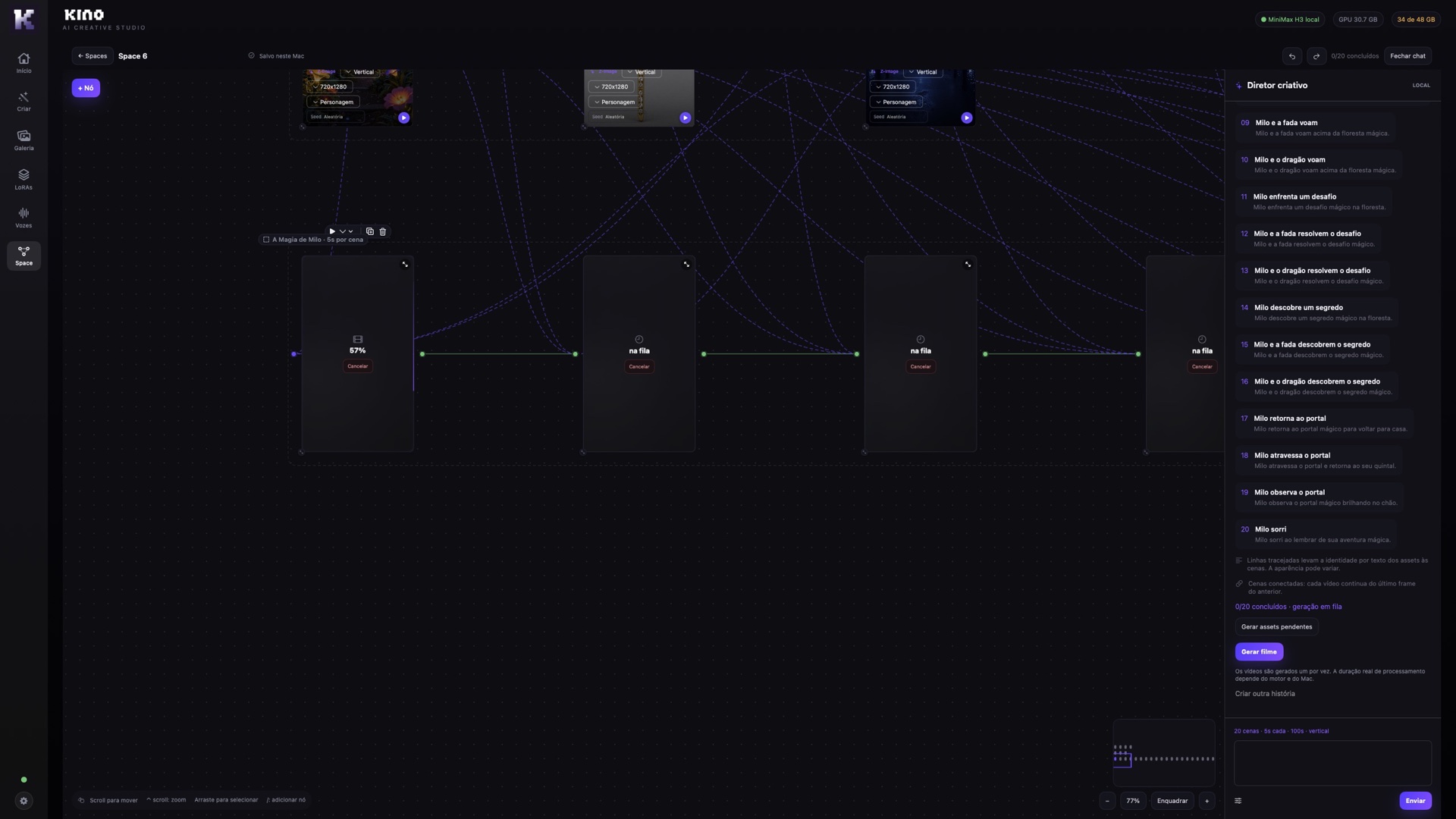
Work with the director and choose your visual direction.
Organize characters, references and scenes in Space.
Create base images from linked assets, then animate each scene.
Actual Kino interface. Generation runs sequentially; timing depends on the model, settings and Mac.
02 — ART DIRECTION
From a cinematic frame to an animated character. Explore visual languages before choosing your own.

Visual style references. Generated results depend on the model and prompt.
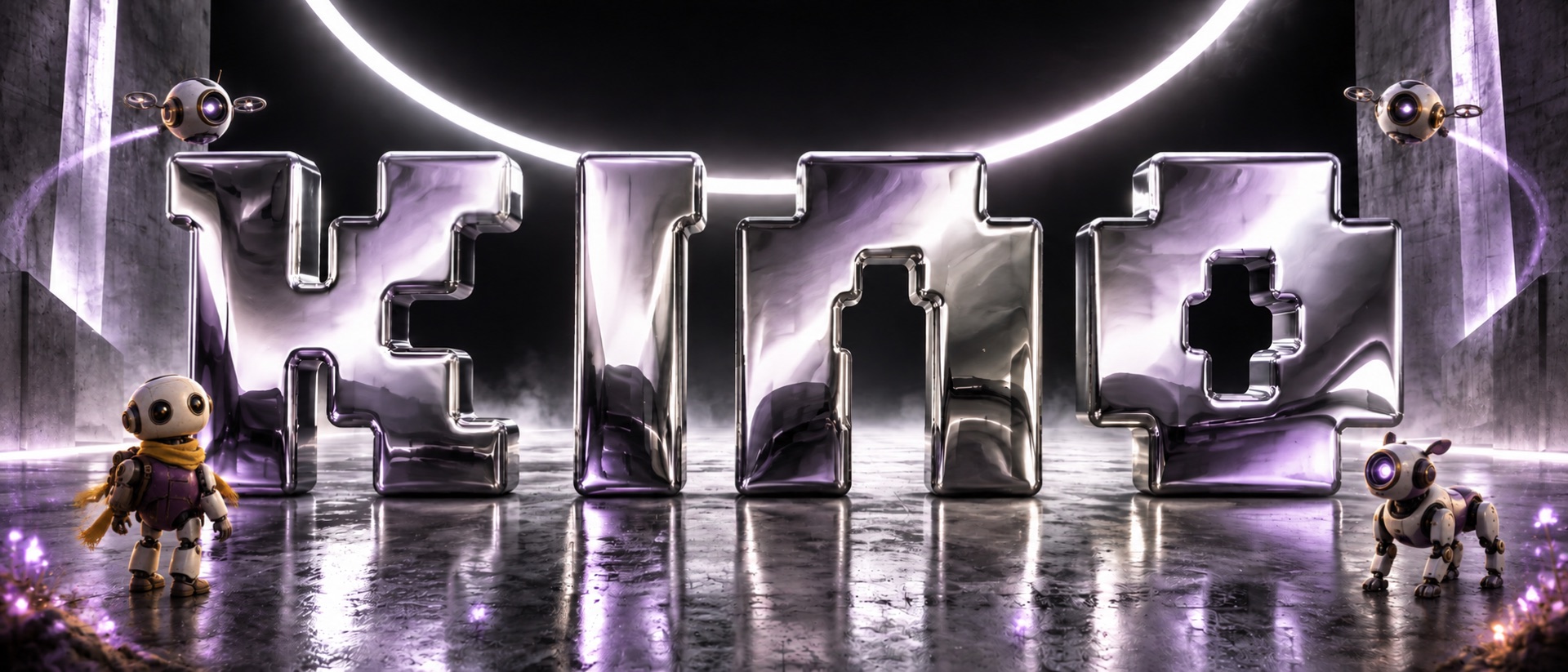
THE IDEA IS YOURS.
03 — THINK LOCAL. CREATE BIG.
For filmmakers, editors and visual thinkers. Kino brings local generation and visual project organization into a native Mac experience.
 APPLE SILICON
Local models run on your machine. Once the models are installed, generation uses your own hardware.
See how assets and scenes connect. Refine each element while keeping the project organized.
Send a gallery image to the video module, describe the action and choose its duration.
Explore styles and organize your creations in one Kino workspace.
Apple Silicon. Requirements vary by engine. H3 video requires macOS 26 and approximately 144 GB for FL2VA alone, plus storage for the app and projects. Minimum memory and performance by chip are still being validated.
An M5 chip alone does not guarantee every video configuration will work. Check memory, storage and engine requirements. Downloads and initial setup require internet access.
H3 by Kino is the integration engine. MiniMax H3 weights are downloaded separately from the official source and have their own terms.
YOUR MAC. YOUR POSSIBILITIES.
Start with what we have tested. For a production setup, explore our higher-memory suggestion — more headroom is not a measured speed benchmark.
More headroom for demanding models.
M5 Max with a 40-core GPU and 128 GB is an Apple hardware option. This configuration has not yet been tested with Kino; no render-time claim is made.
Apple specifications ↗48 GB on our test Mac. Successful generations confirmed; no speed guarantee across all resolutions and durations.
| Mac / unified memory | Images · Z-Image | Video · H3 | What to expect |
|---|---|---|---|
| Apple Silicon · 8 GB | Not validated | Not validated | No confirmed working configuration yet. |
| M1 · 16 GB | Generation confirmed | Generation reported | The user reported a successful M1 video generation. Resolution, duration and timing still need to be recorded. |
| Apple Silicon · 24–32 GB | Not validated in this range | Not validated in this range | More memory alone does not replace testing on the selected chip and model. |
| M5 · 48 GB | Generation confirmed | Generation confirmed | Our image and video test machine. Generation time varies with settings. |
| M5 Max · 64 GBSuggested · not tested | Suggested · not tested | Suggested · not tested | More memory headroom; performance still needs measurement. |
| M5 Max · 128 GBSuggested · not tested | Suggested · not tested | Suggested · not tested | More memory headroom; performance still needs measurement. |
| M1 Max · 64 GBApple ↗ | Not yet validated | Not yet validated | MacBook Pro / Mac Studio. Memory capacity matches or exceeds the 48 GB reference; rendering speed has not been measured. |
| M1 Ultra · 64 / 128 GBApple ↗ | Not yet validated | Not yet validated | Mac Studio. Memory capacity matches or exceeds the 48 GB reference; rendering speed has not been measured. |
| M2 Max · 64 / 96 GBApple ↗ | Not yet validated | Not yet validated | MacBook Pro / Mac Studio. Memory capacity matches or exceeds the 48 GB reference; rendering speed has not been measured. |
| M2 Ultra · 64 / 128 / 192 GBApple ↗ | Not yet validated | Not yet validated | Mac Studio / Mac Pro. Memory capacity matches or exceeds the 48 GB reference; rendering speed has not been measured. |
| M3 Max · 14 CPU · 96 GBApple ↗ | Not yet validated | Not yet validated | MacBook Pro. Memory capacity matches or exceeds the 48 GB reference; rendering speed has not been measured. |
| M3 Max · 16 CPU · 48 / 64 / 128 GBApple ↗ | Not yet validated | Not yet validated | MacBook Pro. Memory capacity matches or exceeds the 48 GB reference; rendering speed has not been measured. |
| M3 Ultra · 96 / 256 GBApple ↗ | Not yet validated | Not yet validated | Mac Studio. Memory capacity matches or exceeds the 48 GB reference; rendering speed has not been measured. |
| M4 Pro · 48 / 64 GBApple ↗ | Not yet validated | Not yet validated | MacBook Pro: 48 GB; Mac mini: 48 or 64 GB. Memory capacity matches or exceeds the 48 GB reference; rendering speed has not been measured. |
| M4 Max · 16 CPU · 48 / 64 / 128 GBApple ↗ | Not yet validated | Not yet validated | MacBook Pro / Mac Studio. Memory capacity matches or exceeds the 48 GB reference; rendering speed has not been measured. |
A completed generation does not mean real-time performance or validation of every feature. Resolution, duration, model and other open apps affect results. The user reported a completed M1 video test; details and performance still need documentation.
Suggested free space: 300 GB for models and working room. FL2VA ≈ 144 GB + additional Ref2VA ≈ 66.28 GB + SeedVR2 ≈ 7.28 GB + Z-Image ≈ 33 GB. The R1 32B agent adds ≈ 19.85 GB. Allow additional storage for your projects.
Current H3 engine: macOS 26. The M1 image test used macOS 26.2. Intel Macs have not been validated.
THE ENGINE BEHIND YOUR SCENES
H3 by Kino adapts the video engine for Apple Silicon to make local generation more accessible. Use your Mac's processing power instead of paying an API for every attempt.
The engine includes memory-management adjustments and quantization options. A viable setup depends on your Mac and video settings.
Generation can be slow on less powerful machines. Queue your scenes and allow time for processing: local does not mean instant.
H3 by Kino is available free of charge. Local generation does not consume API credits; hardware, electricity and the Kino app license are separate costs.
The engine does not include MiniMax H3 weights. Models have separate downloads and terms. Compatibility with lower-memory Macs is still being tested; operation on every Mac is not guaranteed.
04 — CREATE AT YOUR OWN PACE
Launch pricing preview. Final terms will be confirmed before sales open.
KINO STUDIO
Step into your first scene.
KINO STUDIO
Develop your visual language.
A YEAR OF POSSIBILITIES
Create the next chapter.
KINO STUDIO
Keep your studio close.
Models and hardware are not included. Review model licenses, activation, support and update terms before purchasing. The perpetual plan applies to the purchased version.
BEFORE YOUR FIRST FRAME
Kino provides a visual interface for creating and organizing projects. Models still need to be installed, and requirements vary by engine.
Yes. Local engines process on your machine. Compatible hardware and installed models are required. Generation time varies with memory, chip and settings.
Space is Kino's visual workspace for organizing assets and connected scenes. The creative director helps develop your idea, and you can review the plan before generating.
The chat uses linked asset images through Ref2VA to create each scene’s base image. Visual consistency is still being validated; results may vary.
This is a pre-launch page. Purchase and download options will become available after commercial terms and distribution are confirmed.
Usage depends on each model's license and the conditions applicable to your project and territory. Check the official terms before producing or distributing commercial content.
YOUR NEXT FRAME STARTS WITH YOU.